Showing posts with label makerspaces. Show all posts

Thursday, September 15, 2016

Confessions of a maker - Maker Studio class year 1

We are in our fourth week of school and it already feels like it should be the last week. September is hard. It's especially difficult when you are starting something new.

After starting the beginnings of a maker program last year with a maker faire night and monthly maker parties, five teachers (including myself) took on the task of teaching a course on maker.

Last spring, we got the approval of our curriculum committee to offer a Maker Studio course, aimed at students in 9-12 grades. In proposing this class, we gathered ideas from universities like MIT, UT, and Indiana to develop a sound proposal. For our course, we wanted the students to use the design process so, we have taken our course design through the design thinking process as well.

Our design proposal: Maker Studio offers the opportunity to develop skills in ideation, design, creativity, prototyping, and collaboration.  These skills allow students to fully participate in shaping the world around them through deeper understanding of the possibilities and problems of new physical and information technologies.  This course focuses on key design elements of the Maker movement, along with how Making supports science learning by providing opportunities to deepen engagement, intentionality, innovation, collaboration, and understanding.

Maker skills provide a powerful way to inspire students' interest, engagement, and   understanding in science.  The course is taught through cross-disciplinary hands-on projects where students will use a variety of maker tools including, but not limited to, 3D printing, Raspberry Pis, Arduinos, and Makey Makeys.  There will be a different instructor for each rotation, allowing the class to be taught by a panel of experts, where each instructor teaches a discrete unit.  Students will reflect on each project, writing a concise summary of what they did, including their design process, issues encountered, and future applications of the skill.  A digital portfolio will be kept throughout the class, and there will be periodic presentations of their projects.  The course will culminate with an individual project that incorporates several of the skills learned throughout the course.

Currently, I am the section teacher of this course so my thoughts will change as a I become a spectator teacher of the course.

Empathize: “To create meaningful innovations, you need to know your users and care about their lives.” After we took the course for approval to the curriculum committee, we spent time deciding our desired audience. At the time, we knew data suggested more middle school students attended the maker events than upper school students. However, due to scheduling restraints at the middle school, we decided to bring the course to the high school. With that, we attempted to narrow down grade levels - 9, 10, 11, 12 or all. We decided to open it to all as to not exclude anyone in year one. However, after four weeks, we have observed the social dynamics play a critical part in students staying in the course. Due to the wide spectrum of grade levels and "friend groups" in the course, some withdrew after the first day due to more of a social reason.

Defining the course: After getting approval for the course and selecting our target audience, we worked on a course design. We decided upon several main factors that would be consistent in the course. This is an area we have had to come back to many times. We got approval for the course in February. However, that left us the spring and summer and figure out the course. In a standard course, this time would not be as essential. However, in this course, it proved most important. We tried to work remotely over the summer, but in the end, we found schedules conflicted and time ran out. As a result, our definition of the course was rather weak. That affected us dramatically in the first week. We set out offer five distinct sections in the course - each taught by a different teacher. And, we decided that journals, portfolios, and projects would be our three grading elements. However, the specifics of those elements were not defined as well. As a result, we have had to spend a lot of time redefining journals, portfolios, and project design.

Ideate: “It’s not about coming up with the ‘right’ idea, it’s about generating the broadest range of possibilities.” For the purpose of course design, we are generating a broad range of possibilities as we go through the course. During the early summer, I found an alumnus who worked in renewable energy - our first topic - and after several discussions, she agreed to come talk to our students. This fueled further ideas of section field trips or speakers. The course is divided into five sections so each has its own set of ideas. Since I am teaching first, I am generating more ideas for future section teachers.

Prototype: “Build to think and test to learn.” Our prototype and testing are more or less the same. Since, we never had an audience to test on. This year will serve as our prototyping year. Next year, will be further testing. For now, I've included our thoughts in the testing section.

Testing: “Testing is an opportunity to learn about your solution and your user.” 

We are currently in this stage. This has been the most arduous and grueling in many ways. The design was nothing compared to the revisions that we have made along the way.

Our school has a very unique schedule so this course is running as a 1/2 credit, Pass/Fail course currently. With that, we meet 3 days of every rotation (rotation is 8 days). 2 days are 45 minutes each and 1 day  is 60 minutes.

Day 1 - all five section teachers met to introduce ourselves and the course. With a 45 minute class period, this did not leave much time for anything else. At the end of day 1, 5 of our 12 total students dropped the course. They were all freshmen and I attribute it to social reasons.

Day 2 - I began my section. Originally, we decided my section would go second. However, due to summer scheduling changes, the teacher set to go first, was no longer able to, so I went. Unfortunately, my section was not designed to be the hook. Day 2 began with an introduction into sustainability as my section is about creating a sustainable solution with recyclable and renewable resources. It was evident the class was not wanting to discuss.

Day 3 - We continued discussion of the recycling process in order to empathize. It was evident the class did not read and did not want to discuss. Students were threatening to leave.

Back to the drawing board.

Day 4 - We spent the class allowing students to give voice about the class - what do they want. After this class, we deferred to the students.

Days 5 & 6 - We allowed the students to create without giving background on sustainability (due to students saying they preferred to read on their own). Instead, students went right into building. I do not support this model, but found it was necessary to get back momentum.

Day 7 - We regained the course. As teachers, we met again to reiterate our common goals for the course - journaling, design thinking, and portfolios. After this, we got our footing back and students were thrust into prototyping.

Since beginning the course, we have set up weekly meetings among the section teachers in order to adapt the course as we go. This is crucial. I have also found that a balance between teacher voice and student voice is necessary. No voice should outweigh the other.

After day 9, we will begin the last project in my section - creating renewable resources. With the course now moving in a forward motion, I hope to reiterate the design thinking process.

_________________________________________

Curious about our Maker Studio journey? Don't worry! I'll be continuing this series with updates on the process.

Below, you can find resources to get you started on your way. The most important thing about maker education is learning from and adapting from your mistakes. In this case, it is also, learning from others' mistakes.

Course Website
Rubrics, Resources & more for sustainability
Journaling requirement
Journaling template
Sample portfolio - Bulb
Portfolio guidelines and grading
Grading guidelines


Check out the Maker Journey presentation for my maker process from start to now. Also, check out fennovation.org for all things STEAM.

Enjoy!


Friday, May 20, 2016

The Maker Journey

This year, I started a makerspace initiative at my new school (a private school for the first time in my career). Over the year, I decided to document it for others to use who are interested in bringing maker to their school, classroom, or district.

Check out The Maker Journey and fennovation.org for all things maker!


Tuesday, January 26, 2016

Jump start your makerspace with light sabers!

I originally posted this blog in my chasing life's lilies blog series.

This year is our first year of having makerspaces on campus, so it's a year of recruitment and a year to get others interested. With that in mind, I spent the first few months of the year securing spaces and resources. By December, I was ready to bring in students so I started with a maker party - code your own ugly sweater or upcycle an old book into a purse, tool box, or other accessory.

Though only a few students attended our December maker party, they started to make use of the space in their own ways. They asked if they could return to finish. They asked if they could create more. They asked when there would be more. They wanted to keep using the space. In my idealistic vision, I imagined the space as a revolving door - a place for students and faculty to come in and innovate - with hours similar to that of a library.

As more students and faculty use the space, I'll have to solidify a few basic rules and offer some training courses on the tools. But, for now - for this first year - it's about engagement and recruitment.

So, I decided to finish off 2016 with monthly maker parties open to all students and staff during open lunches (a time when students are not required to eat in the dining hall and teachers do not have duties). For January, I hosted a Makey Makey challenge and a light saber creation event. I split up middle school and high school students for more personalized events and better crowd control.

Today, the middle school students entered - 15 of them (we only have 200 middle school students) ready and armed to make. I assumed all were in for the light saber creation, but was pleasantly surprised when several girls asked to explore the Makey Makeys. Some even asked if they could complete some of the projects from last month.

This is the completed version

We began with an introduction of the space and how to use it most effectively. This was an important step in this makerspace since the space is rather small and has not been fully defined for maker.

After a brief introduction to the space, we were ready to create. I found this great Instructables tutorial previously (which I still recommend consulting), which I used to guide the maker event. Before sharing this with students, though, I made one myself. ALWAYS make one yourself first.

First, gather the supplies. I sectioned mine off into various corners of the makerspace for better traffic flow.

Supplies:
  • Clear tube guards for fluorescent bulbs (here are the ones he used). Get the T8 size. These make the blade portion of the lightsabers.
  • Small 9-LED flashlight from Walmart. The kind needed are typically found on aisle-end displays and cost $1. Here's a link.
  • A cardboard tube that fits both the flashlight and the plastic tube guard.We used wrapping paper tubes
  • Duct tape (Any color)
  • Electrical tape
  • Peel-and-stick craft foam
  • Cutting mat
  • Hobby knife or scissors - we used scissors
Organization:

  • Place items around the makerspace by step. For instance, the tube cards and the wrapping paper rolls were on the same table. 
  • Determine what is best for your office.
Tube guards and wrapping paper rolls went on same table

Example in center. Idea (plastic) mats in center with each step at a different corner of table in counter clockwise order


Next, it's time to get to work! To make best use of the tubes, we cut ours in half. However, in the original example, he only cut off about 12 inches. It's up to you.

We used scissors to cut the rolls and the students (12-14 year olds) did great

Then, cut the wrapping paper rolls. We measured from the base of our hand/top of wrist to the tip of our middle finger and cut. This will be the shaft. 


Now, it's time to insert the flashlight into the wrapping paper shaft. Most wrapping paper rolls are too wide for the flashlight so we placed duct tape around the flashlight (leaving the battery end & seal open) until the flashlight could be inserted, but would not fall out if we held up the wrapping paper roll.

Duct tape of any color to top of flashlight

After, students inserted the clear tube into the wrapping paper shaft (with flashlight). Again, the wrapping paper rolls are typically to wide so we added duct tape to the base of the clear tube until it would insert into the wrapping paper shaft without sliding out easily.


Then, we removed the black plastic covering at the end of the tube. In it's place, we placed a piece of duct tape (sticky side up) on top of the hole (leave a little on the sides so that it hangs out - you'll clean this up later). Then, we put the plastic covering back on, securing the duct tape. To make sure the light does not escape, you may need to wrap electrical tape around the top and sides of the plastic covering. I had to do this for mine and so did the students.

Now begins the aesthetic stage. I put duct tape over my wrapping paper shaft for cosmetic effect. It was not necessary. I also put electrical tape at the end and top of the shaft to secure it and make it look more polished. In this step, you can cut out the peel and stick foam to add grips to your shaft. Be creative and have fun.


In the final step, we colored the tubes with permanent marker. And, then, we used a low grade sand paper to sand down and diffuse the color. This helped diffuse the light.

Now, your students are ready to wage light saber war. And...hopefully, this will help jump start your makerspace. The key is finding topics that catch your students' attention. Here is a list of our maker parties for reference.

Happy making!


Friday, January 22, 2016

Seeking Wonder Junkies: Year one of a makerspace

Since I first published this post, I've held two monthly maker parties, including a January party for creating your own light sabers. Click here to read about our Light Sabers journey. 

In February, we made paper circuit Valentines and, in March, we made cardboard obstacle courses for our Sphero. We also made a Virtual reality tour of it in the Google Cardboard Camera app. 


Next month, we have an Earth Day-themed Maker Party with upcycling coffee bags and turning soda bottles into solar panels. We'll finish the year by turning laundry detergent bottles into ukuleles and coding our own music with Arduinos. You can check out our full list of maker parties here

Though we had an initial goal of creating four mini makerspaces this year, we only have one going. That said, I've found that makerspaces grow up. As there becomes an interest and a need, they sprout. And though, I'd love a large innovation studio, the grassroots mini makerspaces fill a need. 

This week, our middle school Spanish classes are completing a variety of maker projects. Then, they are filming Spanish tutorials of how to create the maker projects. These will go up on their YouTube channel or a private Google Drive folder from now. 

Since the end goal is to bring maker into the classroom, I see this as an major step. Regardless of whether there is a designated spaces, there should be maker thought moving into the classroom.

In April, we are hosting a family coding night. And, in May, we are wrapping up the year of the maker with a Superhero maker night. Stay tuned for updates and details!

____________________________________

I originally shared this post in my Chasing Lilies blog.

"Would like me to make you a birthday cake," my three year-old niece, Emma, screamed as she climbed onto the kitchen stool. 


"Of course! What will you make me?" I asked as she looked through the kitchen drawer for supplies.


"Ummmm...how about a dragon cake!" she squealed louder. "Dragons are soooo cute! The cake can roar and the dragon can jump out of it," she exclaimed, getting more animated as the ideas came. 


At three, Emma's a wonder junkie. 


Emma reached for every color of food coloring and dumped them in the icing. "No!" someone yelled from the corner. "You don't want all of those colors in there. Pick three."


At three, Emma's told how something is supposed to appear. 


Emma grabbed the plastic spatula of a thousand colors and dumped it on the cake, crumbling beneath her. What remained was a crater of color. 


She beamed. "Happy birthday, Christy! It's a dragon! Rawrrrrr! Do you like it?" 


What's not to like? 


(Dragons are fictional, right?)

We assign preconceived ideas of how something should be to tasks that are meant to be holistic. We assign random numbers to learning development. We say that a seven year-old must be doing a set of tasks and, if they are not, they are failing. We assign right and wrong values to art. We decide how a fictional character like a dragon should appear. 


In our efforts to standardize education, we've stopped behaving as wonder junkies. Somewhere along the journey, we have started behaving like correctional officers. Wonder does not need to be corrected. It needs to be cultivated and then, shared. 


I challenge you to bring back the wonder. Even in restrictive environments, there is room for wonder. There is room for making. We are all makers. But, only some of us recognize it. 


Recently, I took the wonder junkie challenge to my staff. Not only is it my first year at a private school, it's my first year at this private school, and it's the first year for my position at this school. It's a year of firsts. So, it seemed perfect to introduce the idea of the makerspace. 


To get the climate ready for the idea, though, involves patience and willingness to explore for a year. During that first year: 


  1. Organize a focus group of students and staff who are excited about the idea of making (start with the passionate folks in order to generate momentum).
  2. Meet monthly with the focus group to establish the direction of the makerspace. For instance, will you have a classroom-based makerspace, a library makerspace, an after school makerspace, or several makerspaces around the school. We opted for several smaller makerspaces that each focus on a topic of interest (coding, wearables, recycling, etc.)
  3. Host monthly maker parties. I made this list for our school year. These should be both high tech and low tech activities to bring in a diverse crowd. Keep each party limited to two activities for easy management. I kept the parties to 45 minutes. However, I found that students came throughout the next few days to the space to finish; thereby encouraging the use of a makerspace
  4. Hold a kickoff party. We did this in the form of a Maker Night or a Maker Faire. We staged nearly ten booths plus a photo booth and invited all staff, students, and families. 
Create a space for wonder. Once you create that space and cultivate the climate, allow for it to shape itself. 

The kickoff party started with 8 booths:
  • 3D Printing
  • Google Cardboard
  • Cardboard Arcade Challenge
  • Upcycling
  • Raspberry Pi Tinkering
  • Makey Makey Challenge
  • Short Circuit Robots
  • 6 Word Memoir Stop Motion Animation
However, it evolved into so much more


Students found duct tape, LEDs, cardboard, C-Cell batteries, and cell phones to make talking robots


Students wrote their life in 6 words, drew it, and then animated it with stop motion

Students disassembled old electronics and created new inventions


They turned computer parts into jewelry


They used SketchUp to construct their own structures and then, 3D printed them

They made their own virtual reality tours with Cardboard Camera


They turned cardboard into fortune telling machines


They made messes - lots of them. And, it was okay.

They created without instruction - only ideas


They explored


They turned bananas into music

They set up stands made from recycled materials


They turned books into art kits
They had snacks (for extra encouragement)

Most importantly, they had fun
 It evolved into engagement and excitement. There were no rules of what something was supposed to be or not be. It was holistic. 

We are born to be makers. We are born to tinker and explore. However, we have been trained to follow a formula.  

Break the formula and get started. We are 9 months into our maker journey. We do not know where it will go or how long it will take and we're okay with that. 


Monday, November 30, 2015

Start making!

We are gradually getting makerspaces up and running around my campus. We've opted for several smaller ones that each focus on a theme (like coding, building, wearables, crafts, etc.). This allows students to go to focused centers and for us to find more spaces for makerspaces.

I've included some of my favorite resources for creating and running makerspaces in my Making over your library presentation. Note: this does not just apply to libraries. Libraries just happen to be a natural starting places for many makerspaces. You can find more STEAM resources at fennovation.org.

A recent addition includes: Naturebytes - 3D printed kits that help in the making of wildlife cameras for students.

Enjoy!

Monday, October 12, 2015

Give your library a makeover with #makerspaces

A little over a year ago, my interests started to divert to makerspaces. Last year, I started to dabble in them and, this year, I am trying to go full-force ahead.

To help me learn some of the tools, I have allowed members of my Spartan Tech club to become specialists in various tools. For instance, one group of students has taken charge over the Raspberry Pi2 while another has confiscated the LilyPad Arduino. By doing this, I am able to observe the students and how they interact with the tools, provide them with creative space, and use man-power to learn new tools. The latter is for my own selfish needs, but it has proven useful. 

Since starting on my makerspace journey, I've made a few important discoveries:

  • Arduino software and our group policies do not get along - important to test first
  • MakeyMakeys are the bomb-digity 
  • Raspberry Pis have a slight learning curve
  • All starter makerspaces should include: MakeyMakeys, Arduinos, Raspberry Pis, freedom, felt, tape, scissors, cardboard, LEDs, batteries, 3D printer, and conductive thread. You can do so many projects with just those tools
I have also found some resources that spark my creative energy:
  • Follow Instructables on Google + - so many awesome ideas
  • Follow Make on Google +
  • Follow Raspberry Pi on Google +
  • Follow Arduino on Google +
  • Follow MakeyMakey on Google +
  • Follow Maker Faire on Google +
  • Follow Make Forum on Google +
There are others, but these provide me daily inspiration. 

Check out my presentation of resources on libraries and makerspaces and read more at fennovation.org.


Happy making!

Wednesday, September 9, 2015

Making over your library

This year, one of my big goals is to develop makerspaces around campus - including in the library. We have already formed a group of interested teachers, ready to take on the challenge. Due to space limitations, we are proposing a maker class (with each teacher teaching a specialized portion) and several small maker areas, each with a specific theme.

In meeting and reviewing all things maker, I have stumbled upon some amazing resources, which I have included in one presentation.

Today's updates include:

You can learn more on STEAM and maker movements at fennovation.org.

Enjoy!


Sunday, June 21, 2015

#makelibchat - more making & library resources!

I recently finished reading Sew Electric & The Art of Tinkering, both of which are awesome books for maker environments. And, I highly recommend them for anyone considering creating a makerspace. Today, I added in a resource page from Getting Smart with a list of apps for making on the iPad. Check out the presentation below for more makerspace ideas for your library. And, share out any that you have.

Check out fennovation.org for more resources!

Thursday, April 23, 2015

Makers & libraries - New resources #makerspaces

Libraries are a hub of innovation and learning. At my campus, our library is the “spot.” So, what better spot for a makerspace to fit than a library, where innovation is already occurring. Check out Fennovation.org and Making over your Library for more resources. Below are some programs around the nation that encourage teaching the whole child as well as design-based learning.

Enjoy!


This program is based in NY and offers fellowships & programs. It “aims to create a pipeline of empowered community leaders from underutilized neighborhoods equipped with the 21st century skills necessary to launch careers or ventures spurring innovative projects in their communities.”
Austin, TX: The Acton Academy

This charter school began in Austin, TX, but you can apply to open a school anywhere. The school focuses on raising the whole child and design-based learning.

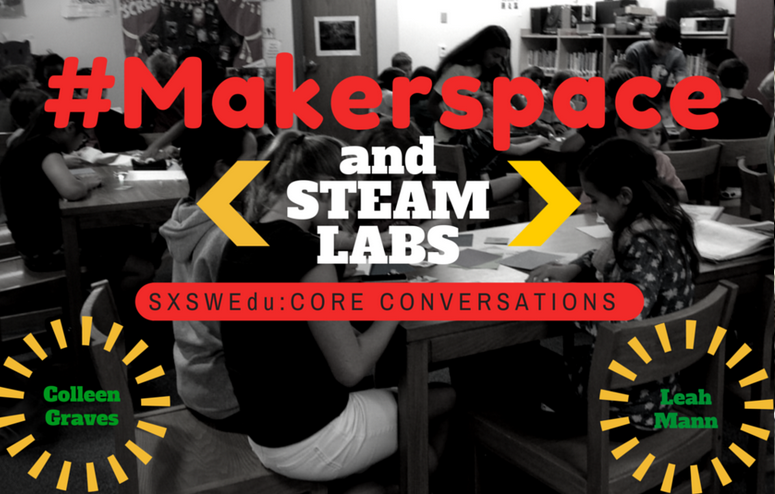
This TACKK was created by Colleen Graves and Leah Mann to help answer some critical questions regarding Makerspaces and implementing them in libraries. Both are awesome librarians!
Librarian Superstar: Colleen Graves

This librarian has an entire site dedicated to her exploration of makerspaces and the library. This page, in particular, contains many resources for getting started and a vision for what yours can look like.